The placeholder method: useful AI answers without sharing real data
In short
- Deleting loses structure; numbered placeholders keep it.
- The same value always gets the same placeholder, which is what makes restore possible.
- One sentence in your prompt prevents most failures.
In this guide
There are three ways to deal with sensitive values before pasting text into an AI tool: leave them in, delete them, or replace them with placeholders. The first leaks, the second breaks the text, the third is the one that works. This article explains why, and how to get the most out of it.
Deletion loses structure
Take a line from a log: login failed for alice@example.com from 203.0.113.9. Delete the sensitive parts and you get login failed for from. The model now has to guess what was there. Replace them instead: login failed for [EMAIL_1] from [IP_1]. The model knows a user and a source address were involved, can reason about them, and can refer to them in its answer.
alice@example.com failed 3 times
bob@example.com failed once
alice@example.com then succeeded
[EMAIL_1] failed 3 times
[EMAIL_2] failed once
[EMAIL_1] then succeeded
Consistency is the whole trick
The real power is that the same value always gets the same placeholder within a conversation. If alice@example.com appears on lines 3, 40 and 118, it becomes [EMAIL_1] every time, and a different user becomes [EMAIL_2]. The model can now say "all three failures are the same account, [EMAIL_1], from two different addresses". That answer is exactly as useful as it would have been with the real data, and the provider never saw an email address.
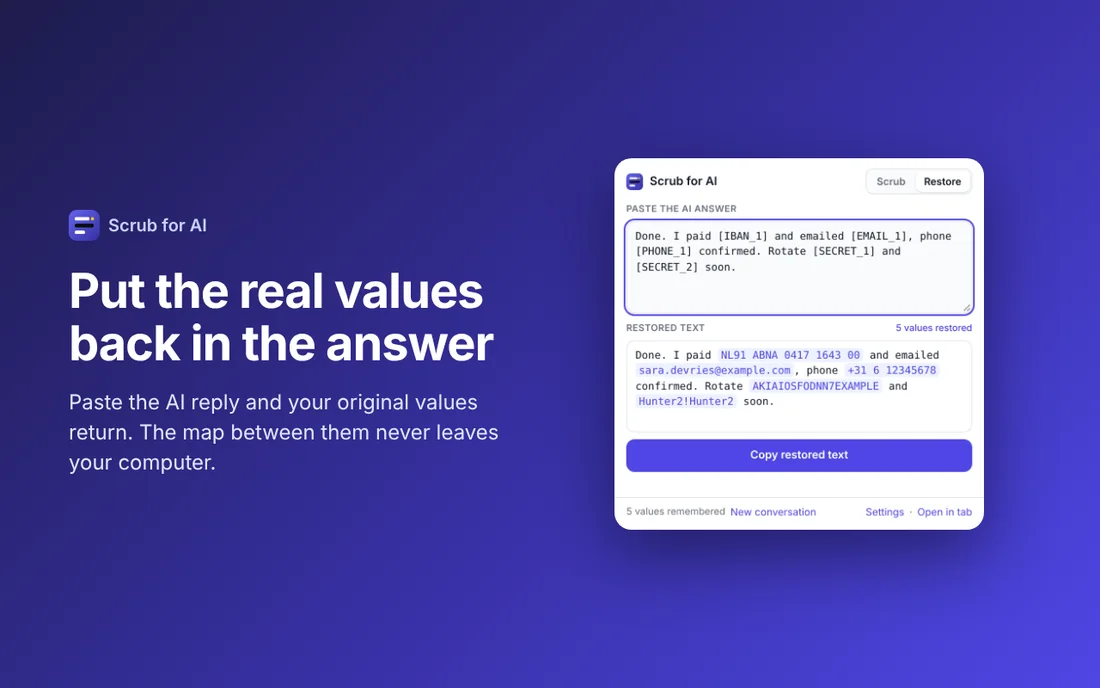
This is also what makes restore possible. The map from placeholder to value lives on your computer. When the answer mentions [EMAIL_1], restore swaps the real address back in. One scrub, one restore, no copying details by hand.
Where it fails, and how to prevent it
- The model rewrites the placeholder. Occasionally a model turns
[EMAIL_1]into "the user's email" or "EMAIL 1". Prevent it with one sentence in your prompt: "Keep placeholders like [EMAIL_1] exactly as written." Current models obey this reliably. - Context gives it away. "Our CFO [NAME_1]" in a company of fifty people is still identifying. Placeholders hide values, not meaning. For sensitive situations, also generalise the context.
- Patterns do not know names. Email addresses, phone numbers, IBANs, card numbers and API keys follow formats that can be detected. Names, street addresses and project codenames do not. Add those as custom terms so they are replaced too, and read the scrubbed text once before you send it.
- Values appear in a new form. If the input has
+31 6 1234 5678and the answer writes0612345678, restore will not match it. This is rare, because the model only saw the placeholder, but it is worth knowing.
Prompting with placeholders
A few habits that make placeholder conversations smoother:
- Tell the model up front that bracketed tokens are placeholders for real values it should keep verbatim.
- Refer to placeholders yourself when asking follow ups: "Why would [EMAIL_1] be rejected and [EMAIL_2] accepted?"
- When the task is a draft (email, letter, ticket), ask for the placeholders to be used in the salutation and references, then restore.
- Start a new conversation per customer or incident so numbering resets and nothing carries over.
What this is called in privacy terms
Replacing identifiers with tokens while keeping a separate key is pseudonymisation. The GDPR names it as a recommended safeguard, and regulators treat it as a serious risk reduction even though the data remains personal data while you hold the key. Anonymisation, where no key exists and re-identification is impossible, is stronger but rarely compatible with getting a useful answer. For day to day AI use, pseudonymisation with a local key is the right trade.
In practice
Scrub for AI implements exactly this: pattern based detection for the common sensitive formats, custom terms for the rest, numbered placeholders that stay consistent within a conversation, and a restore step that uses a map stored only in your browser. You can try the same engine in the online version before installing anything.
Scrub before you paste
Scrub for AI replaces emails, phone numbers, IBANs, API keys and passwords with placeholders in one click, and puts them back when the answer returns. Free, runs offline, no account.
More: all guides · Scrub for AI · Copy for AI · Tables for AI