How to anonymise a customer email before asking AI to draft a reply
In short
- Remove what identifies, keep what makes a reply good.
- Scrub, ask for a draft with placeholders intact, restore on your computer.
- Three refinements that pay off.
In this guide
Drafting replies is one of the most useful things an AI assistant does for support, sales and account teams. It is also where personal data flows out of companies by the bucket, because the easiest way to get a good draft is to paste the whole thread. Here is how to get the draft without the leak.
A typical email
From: Sarah Mulder <sarah.mulder@example.com>
Subject: Order 48213 still not delivered

Hi, I ordered a desk lamp on 28 October (order 48213) to Keizersgracht 12,
1015 CJ Amsterdam. The tracking page has said "in transit" for 9 days. I paid
with my card ending 4417. Can you tell me what is going on? You can call me
on +31 6 1234 5678 during office hours.

Sarah
What has to go, and what can stay
| Remove or replace | Keep |
|---|---|
| Name, email address, phone number | The problem: a delayed parcel |
| Street address and postcode | The timeline: ordered 28 October, stuck for 9 days |
| Order number, card digits | The tone: polite, a little impatient |
| Anything identifying the company if that matters to you | What the customer asks for: an explanation and a call |
Notice that everything in the right column is what makes a reply good. Everything in the left column is what makes a reply personal, and you add that back yourself.
The scrubbed version
From: [NAME_1] <[EMAIL_1]>
Subject: Order [ORDER_1] still not delivered

Hi, I ordered a desk lamp on 28 October (order [ORDER_1]) to [ADDRESS_1].
The tracking page has said "in transit" for 9 days. I paid with my card
ending [CARD_1]. Can you tell me what is going on? You can call me on
[PHONE_1] during office hours.

[NAME_1]
Ask the assistant: "Draft a warm, concise reply. Apologise, explain that we have opened a trace with the carrier, offer a replacement if there is no update within 48 hours, and keep the placeholders exactly as they are." Models follow that last instruction well.
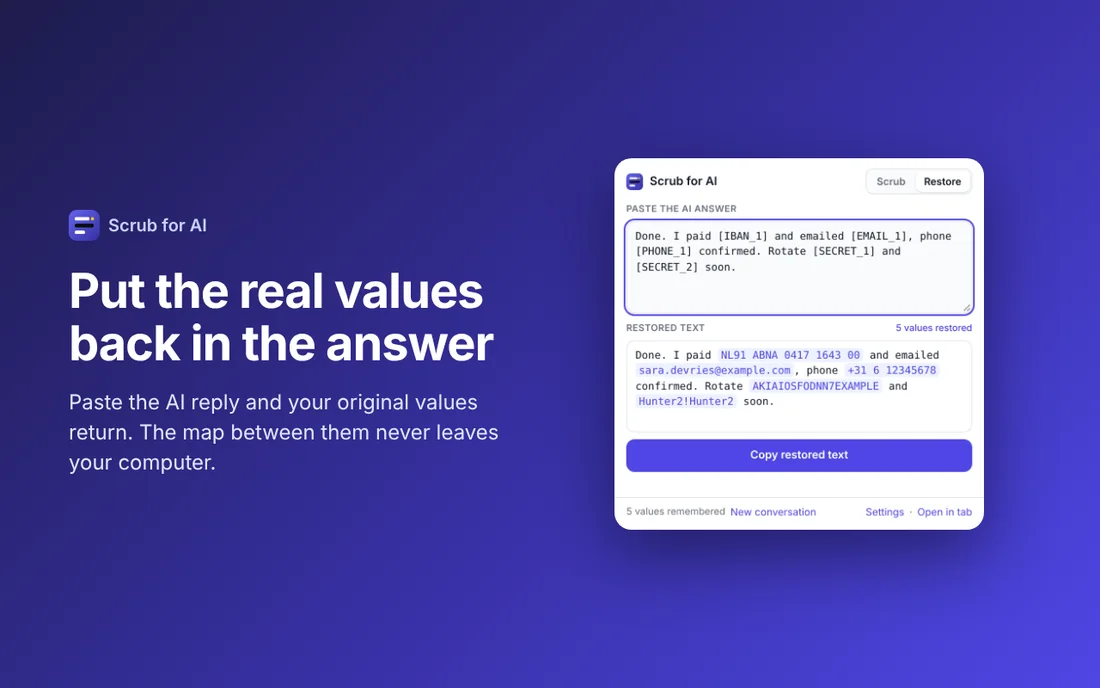
Restoring
The draft comes back addressed to [NAME_1] and mentioning order [ORDER_1]. Select it, run restore, and the real name and order number are back, from a map that only ever existed on your computer. Paste into your helpdesk, adjust a sentence, send.
Three refinements that pay off
- Custom terms. Scrub for AI finds emails, phones, IBANs, card numbers and keys by pattern. Names and company names are different in every language, so add the ones that matter to you under custom terms: your client list, project codenames, internal product names. They are then replaced automatically, with a label you choose, such as
[CLIENT_1]. - One conversation, one map. Placeholders are numbered per conversation, so
[NAME_1]stays the same person across several messages. Start a new conversation in the tool when you move to the next customer, so numbering starts fresh and nothing from the previous thread can leak into this one. - Keep the identifying bits out of the prompt too. "Reply to Sarah about her lamp" undoes the scrubbing. "Reply to the customer about the delayed order" does not.
Why not just delete the details?
Because the reply needs them. If you delete the order number the model writes "your order", which you then have to fix. If you delete the name it writes "Dear customer", which reads like a template. Placeholders preserve the slots, the model fills them with the placeholders, and restore fills the placeholders with reality. See the placeholder method for the full reasoning.
Scrub before you paste
Scrub for AI replaces emails, phone numbers, IBANs, API keys and passwords with placeholders in one click, and puts them back when the answer returns. Free, runs offline, no account.
More: all guides · Scrub for AI · Copy for AI · Tables for AI